Software for remodelers and trade contractors

The office for a contractor who is never in the office.

Leads, texts and calls, estimates, job costing, client updates, documents, crew time and bookkeeping in one system that runs from your phone. Built by a working general contractor, used every day on real jobs.

Runs a licensed remodeling company todayWorks on the phone you already carryYour data stays yours
BlueCollarOS · Home
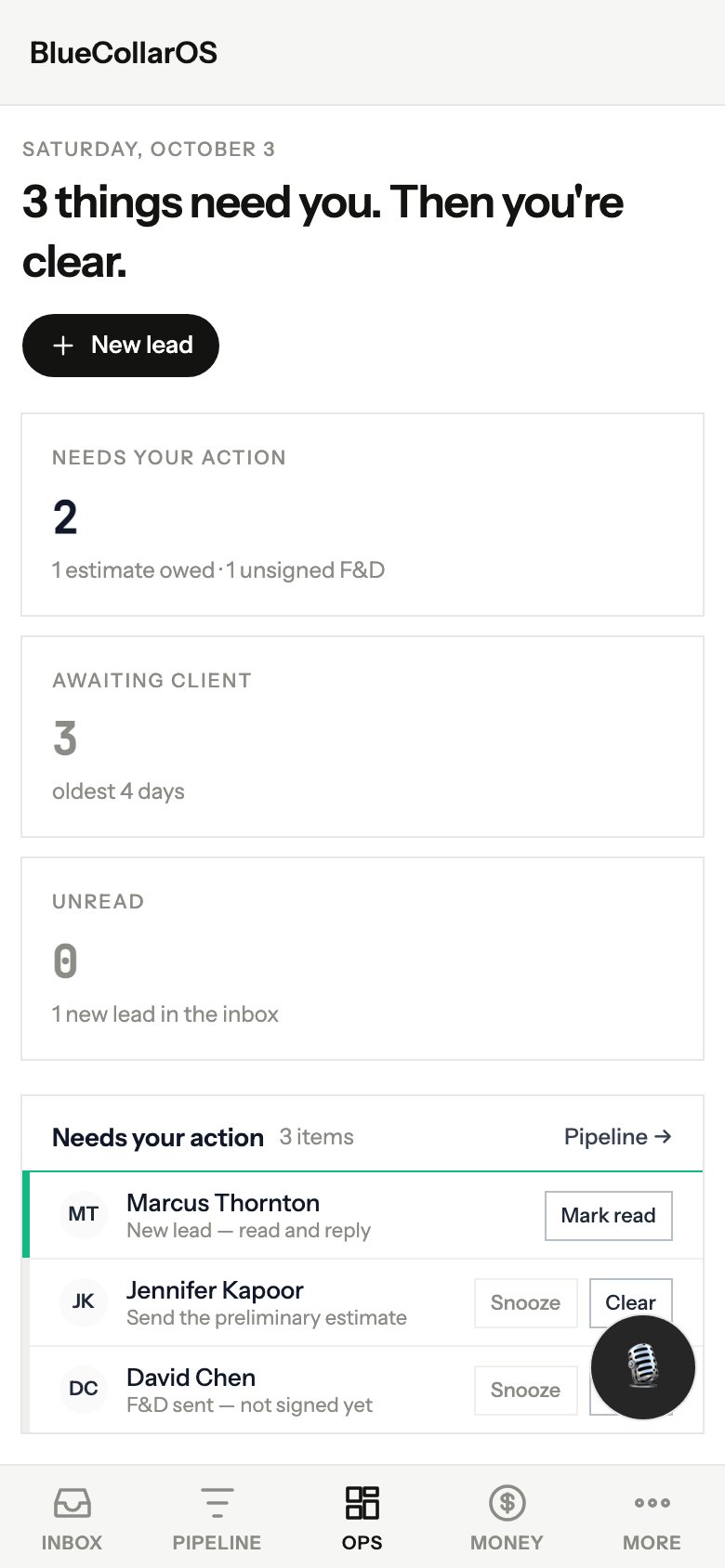
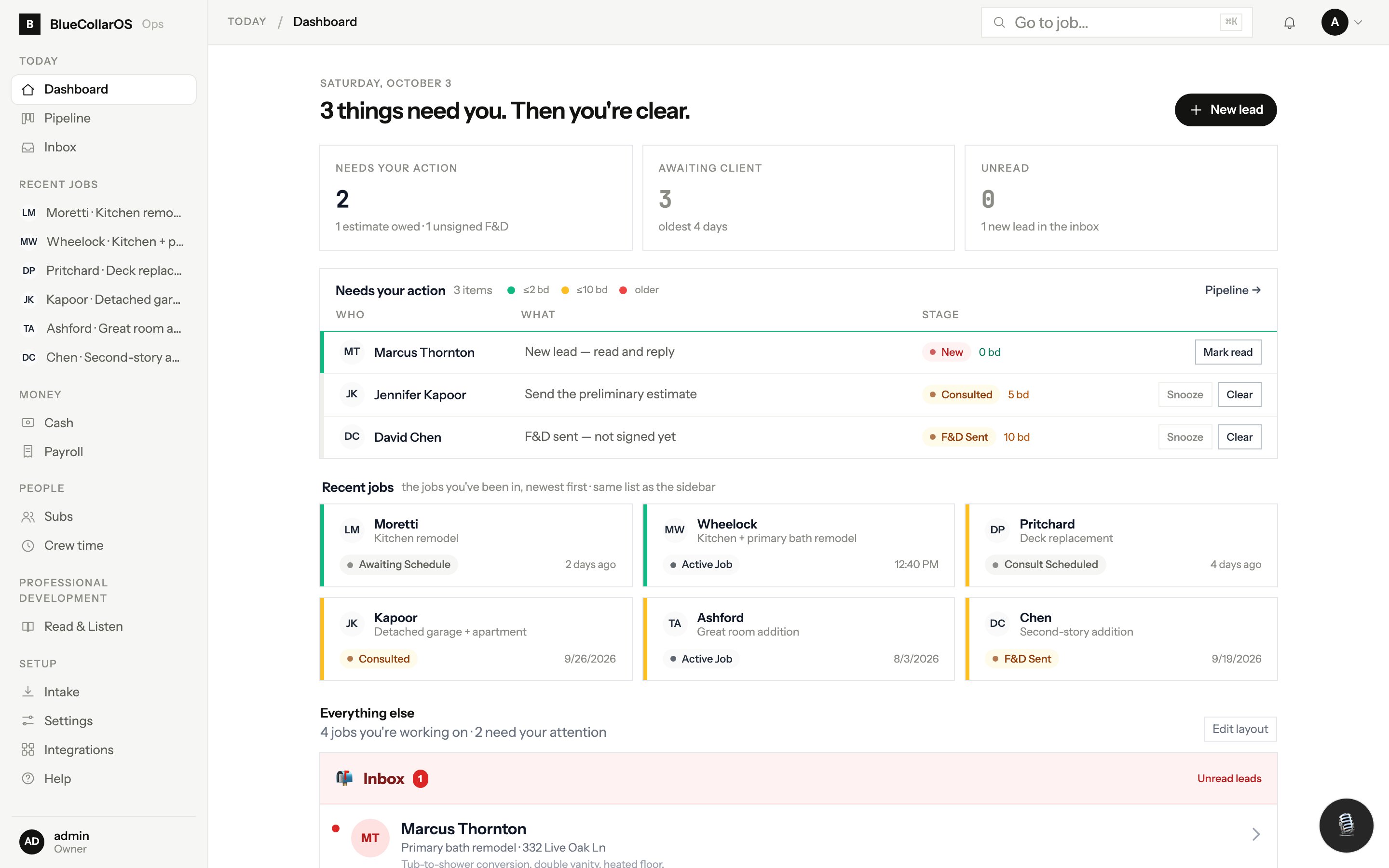
BlueCollarOS home screen with the day's needs-action list, recent jobs and pipeline counts
One job page for every client, every text, every dollar Phone-first because that is where you are No bookkeeper, dispatcher or secretary required to run a shop
The problem

You are the system. Nothing moves unless you touch it.

Most contractor software was built by people who never ran a crew. It adds a screen to fill out at night. BlueCollarOS was built from the truck, to take work off the owner.

The lead texted three days ago

It is somewhere in your phone under a number you do not recognize, and the consult never got booked.

The estimate lives in a spreadsheet

The client got a PDF, the change happened by text, and nobody knows what the signed number is now.

You find out if the job made money in April

When the accountant asks what the receipts from the tile store were for.

What it does

Every piece of the office, on one job page

Screens below are from a demo company with made-up clients. The layout is exactly what you get.

Leads come in qualified, not just logged

A website form with bot screening, an AI phone assistant that answers when you are on a ladder, a website chat, and a booking link all land in the same pipeline.

  • Public-records lookup suggests the property owner and parcel before you call back
  • Known subs and vendors ring straight through to your cell. Strangers get the assistant
  • Out-of-area and junk submissions are quarantined with the reason logged, never silently dropped
  • Consults book onto your Outlook calendar with a confirmation text and a reminder
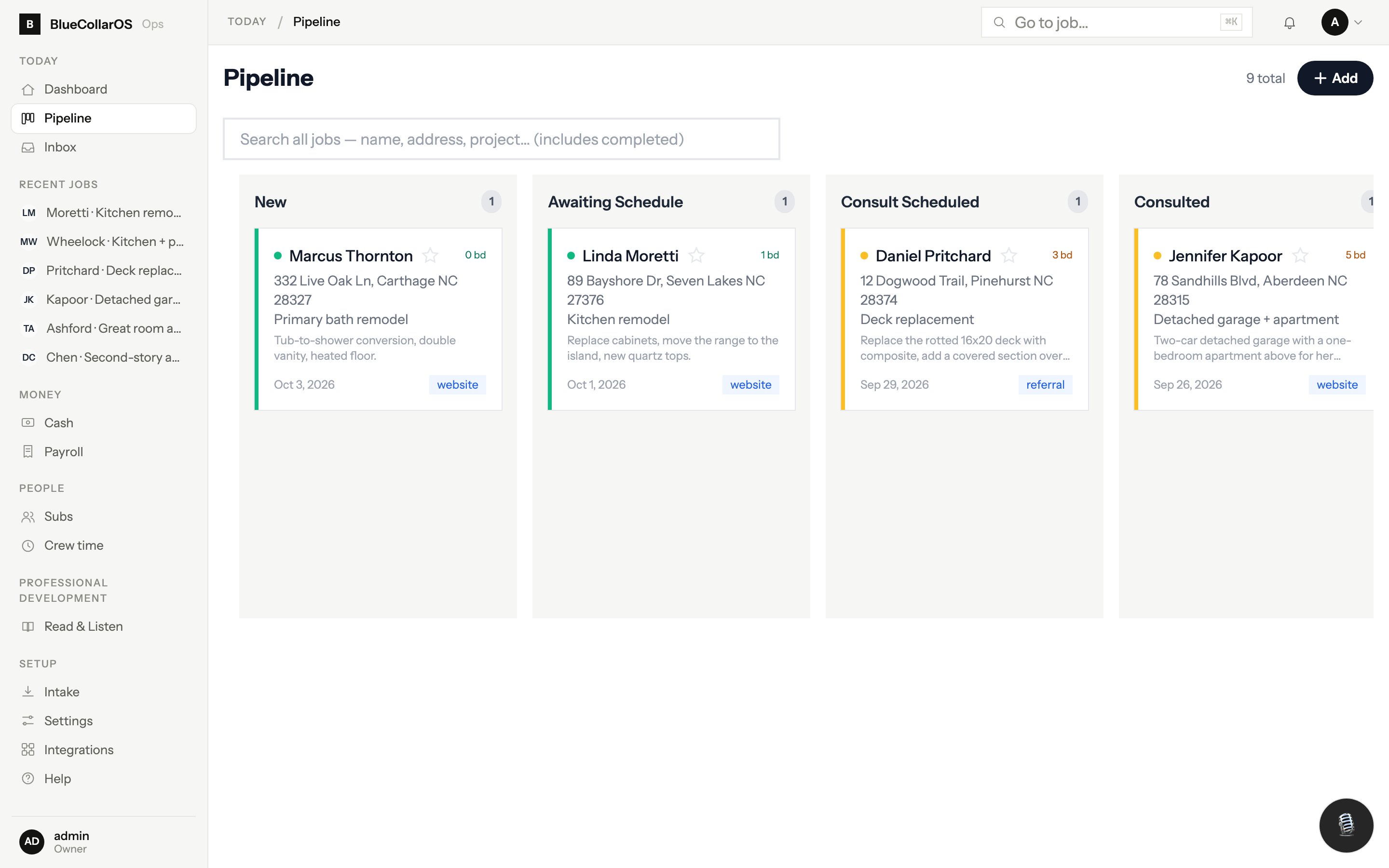
Pipeline
Pipeline board with leads in each stage from New to Active Job

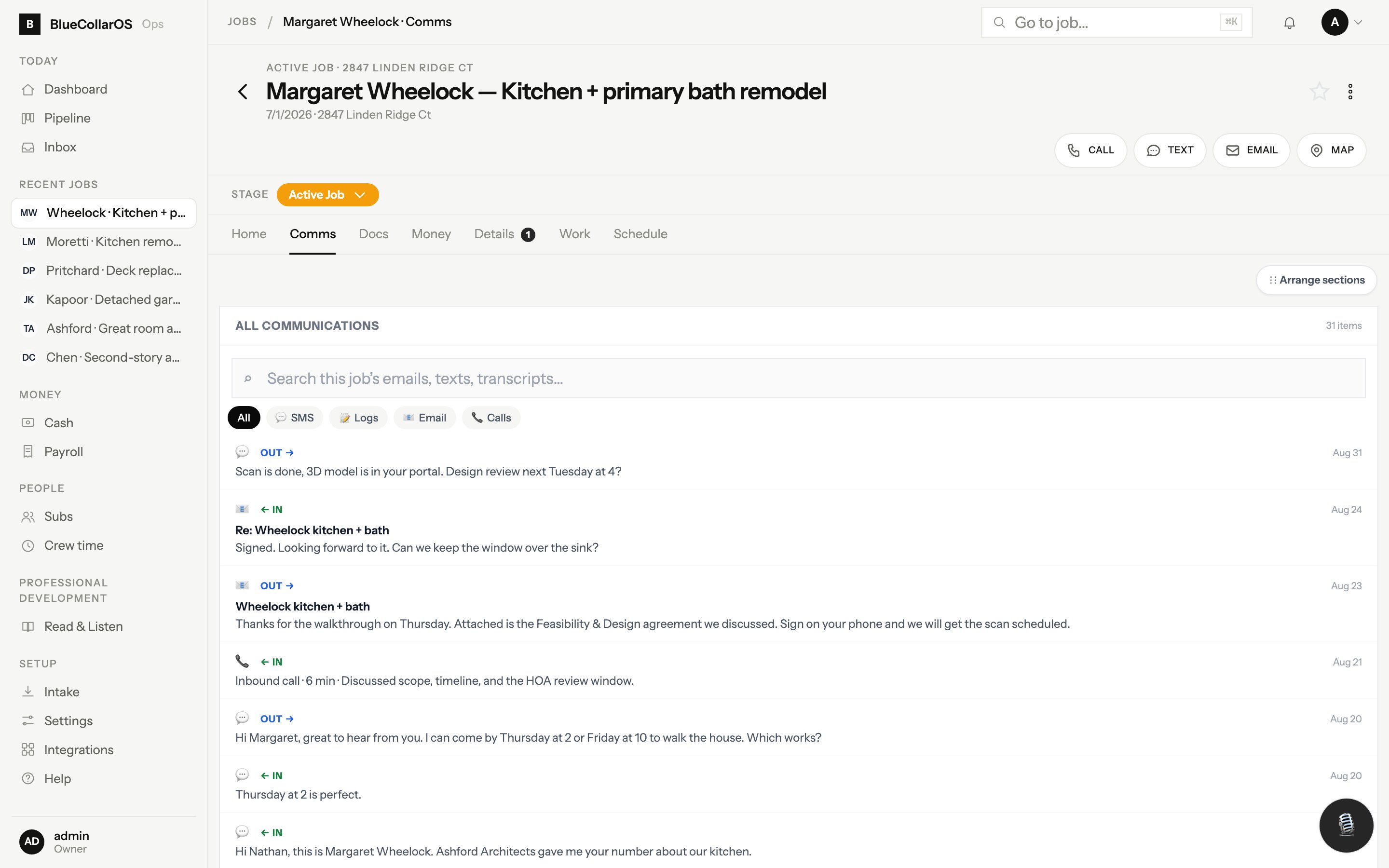
Every text, call and email on the job timeline

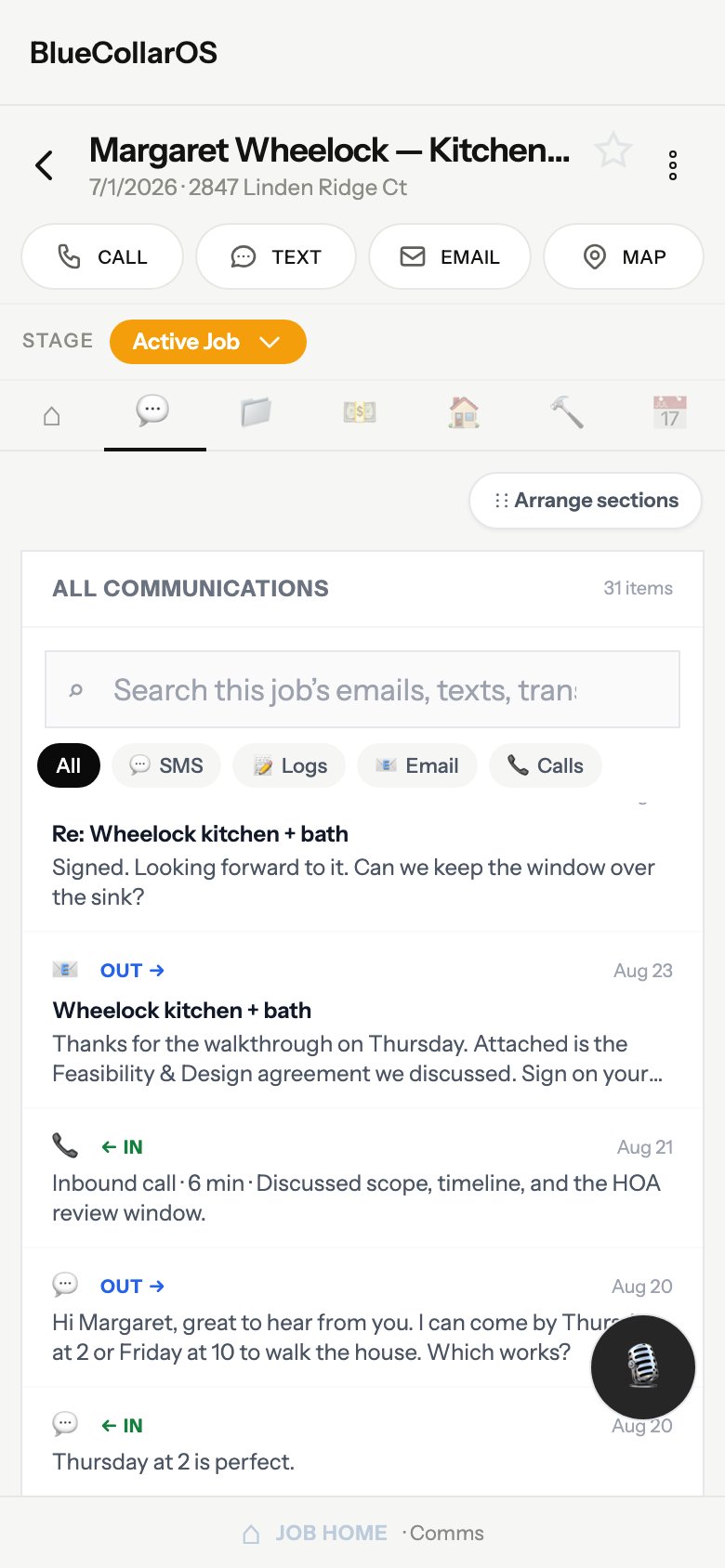
Your business line runs through BlueCollarOS. Texts, calls with recordings and transcripts, emails and meeting transcripts all file to the client's job automatically, so the whole team sees the same conversation.

  • Text and call from your phone with the business number, not your personal cell
  • Links are clickable, photos send as MMS, and canned replies are editable before each send
  • Job-scoped lines for a project manager, so their texts stay on their jobs
  • Photos from the jobsite drop onto the daily log and text straight to the carpenter
Job · Comms
A job's communications tab showing texts, calls and emails in one thread

Estimates and change orders that stay signed

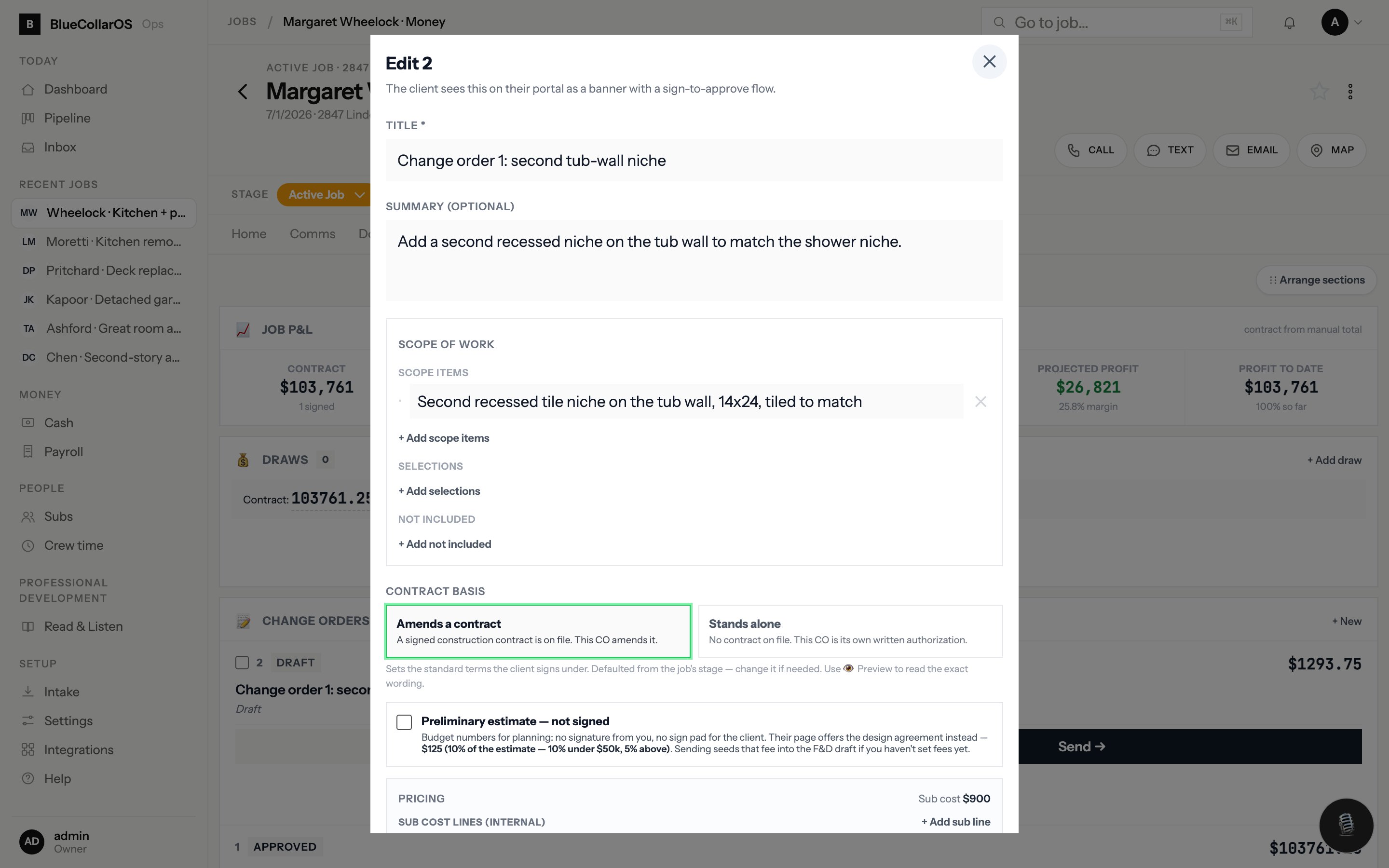
Build the estimate from cost-coded lines and your own markup. The client sees a detailed scope and one number, never your unit prices. They sign on their phone. Every revision is kept.

  • Pricing knobs for profit, overhead, contingency and cost-to-manage, solved to the cent
  • Preliminary estimates, feasibility and design agreements, and construction change orders use the same editor
  • Payment schedules turn into QuickBooks invoices with a pay link
  • Worked estimates become templates for the next similar job
Estimate editor
Estimate editor with cost-coded line items and the client-facing total

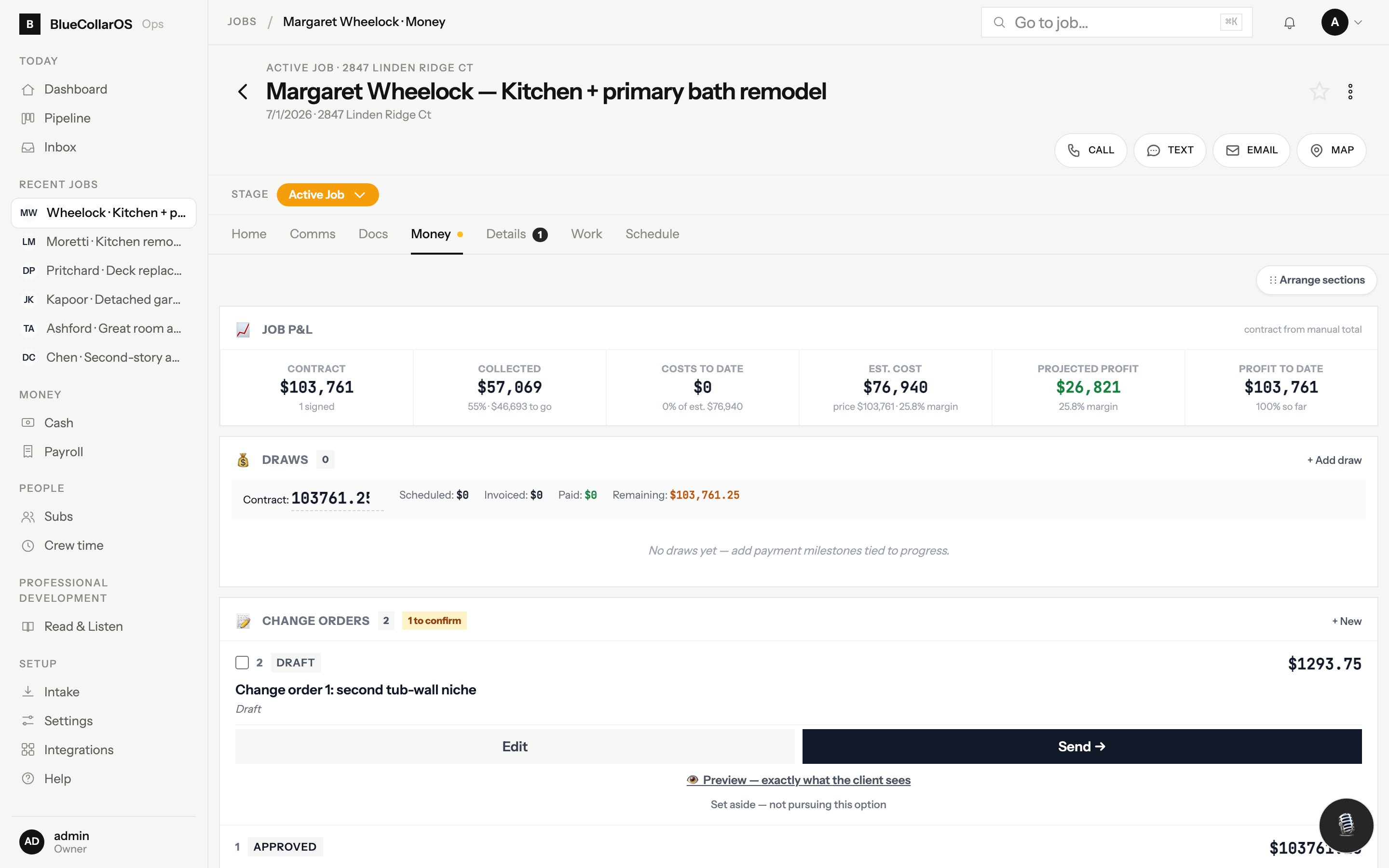
Know if the job is making money this week

Budget by phase, committed sub costs, labor from crew time, and receipts from the field all roll into a live job profit and loss. Swipe the company card and the system texts you "which job?".

  • Receipts by text, by email, or straight from the card feed, categorized to QuickBooks
  • Crew time with location and category, priced at your crew rate
  • Sub bills and bids tracked against the budget line they belong to
  • Company-wide money view across every open job
Job · Money
Job money tab with budget versus actual by phase

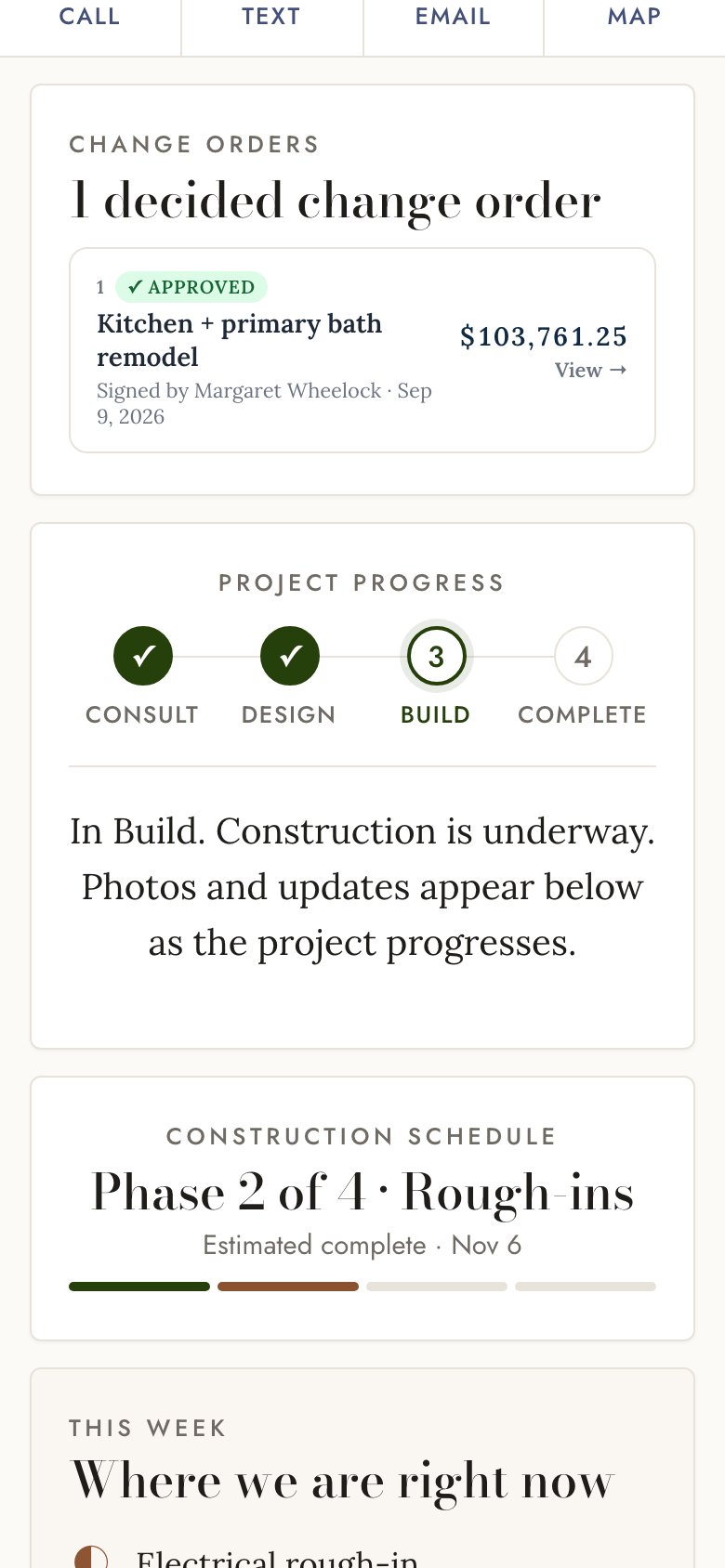
A client portal that answers the questions before they text

Each client gets a private link. Daily logs with photos, the signed scope, selections, decisions waiting on them, invoices, and the documents you chose to share. You see what they opened and when.

  • Design partners and family members get their own access with their own notifications
  • Decisions are presented as priced options the client taps to choose
  • Clients can comment on photos and upload their own
  • Activity feed shows who viewed what, so you know they saw the change order
Client portal on a phone showing daily logs and photos
Job communications on a phone

Documents filed where your team already looks

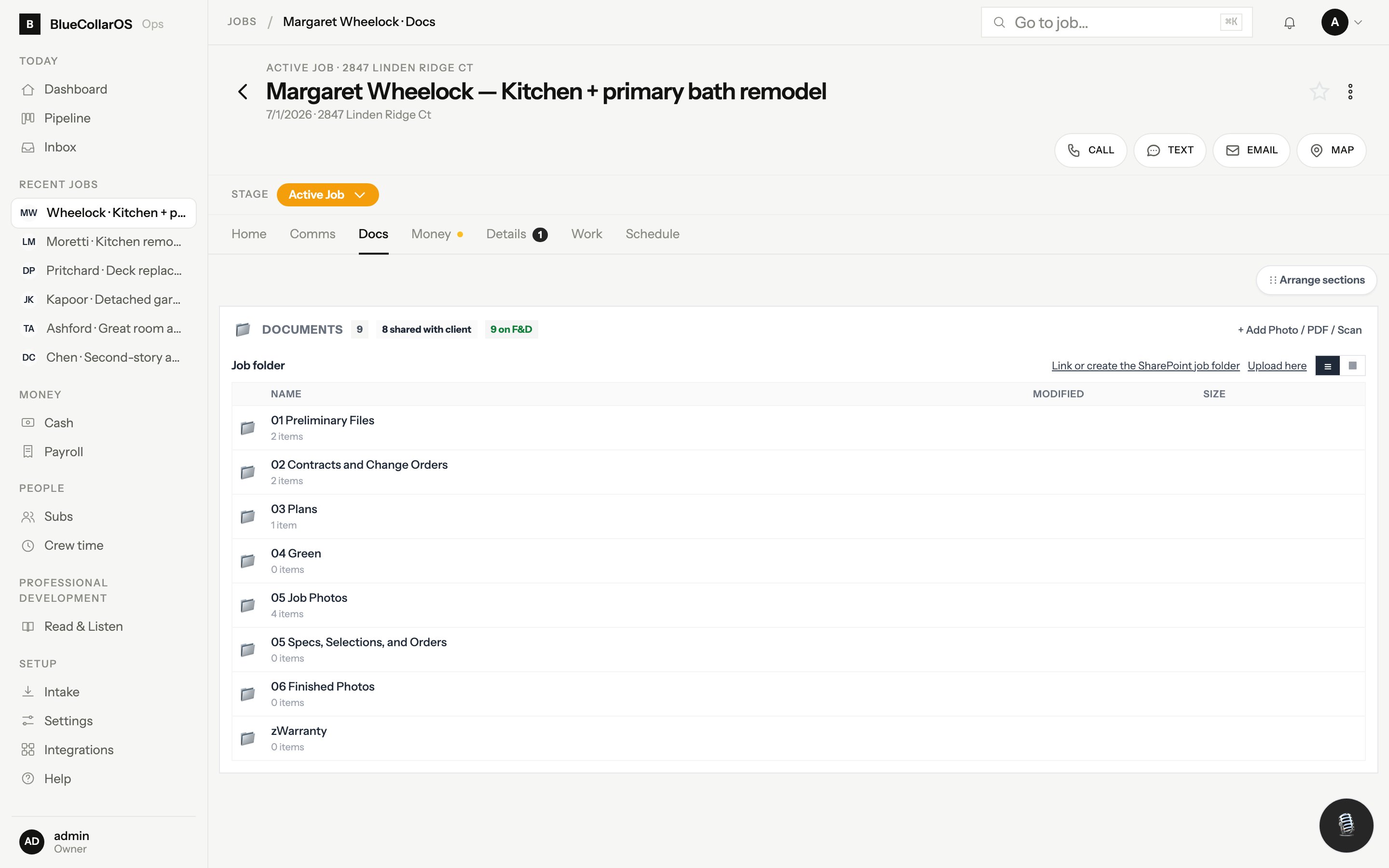
Every job gets the same folder structure, mirrored to SharePoint and OneDrive. Upload from the app and it lands in the right folder. Word and Excel files open in Office. Nothing is trapped inside a vendor's database.

  • Consult notes and transcripts, plans and scans, estimates, contracts, permits, photos, invoices
  • Meeting recordings are transcribed and filed to the job automatically
  • Per-document sharing to the client portal, with vendor pricing never exposed by default
  • A complete communications register for any job, exportable in one click
Job · Docs
Job documents tab mirroring the SharePoint folder structure

Schedule, crew and subs without a dispatcher

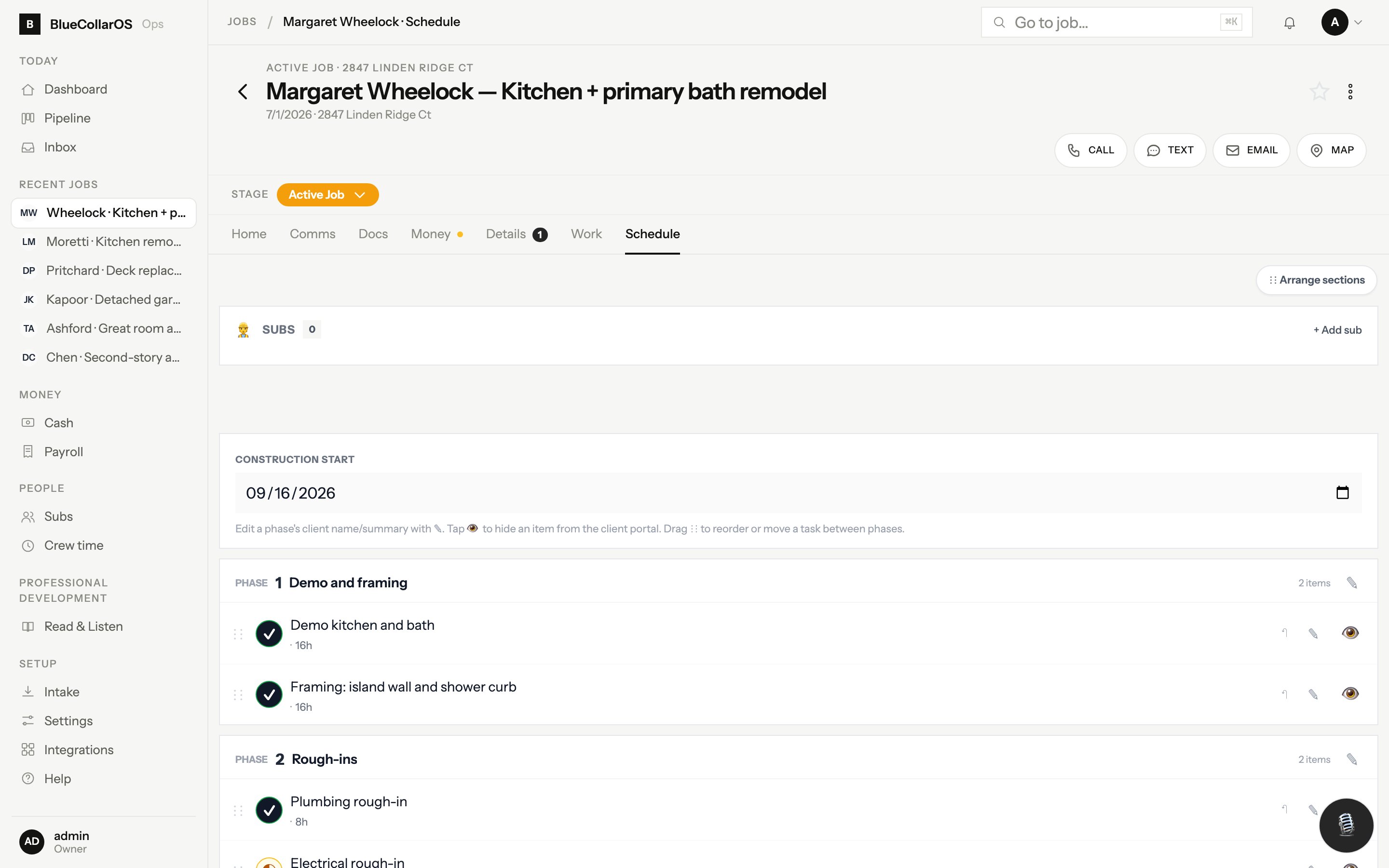
Tasks by phase with target dates, consults and site visits on the calendar, crew time clocked from the phone, and a sub roster with W-9s, insurance certificates and bid links.

  • Subs get a link to confirm dates and submit bids, no login required
  • Crew hours export to payroll
  • Needs-action list every morning: who to call, what to send, what is overdue
  • Push notifications on the phone for the things that cannot wait
Job · Schedule
Job schedule with phases, tasks and target dates

Your phone is the office

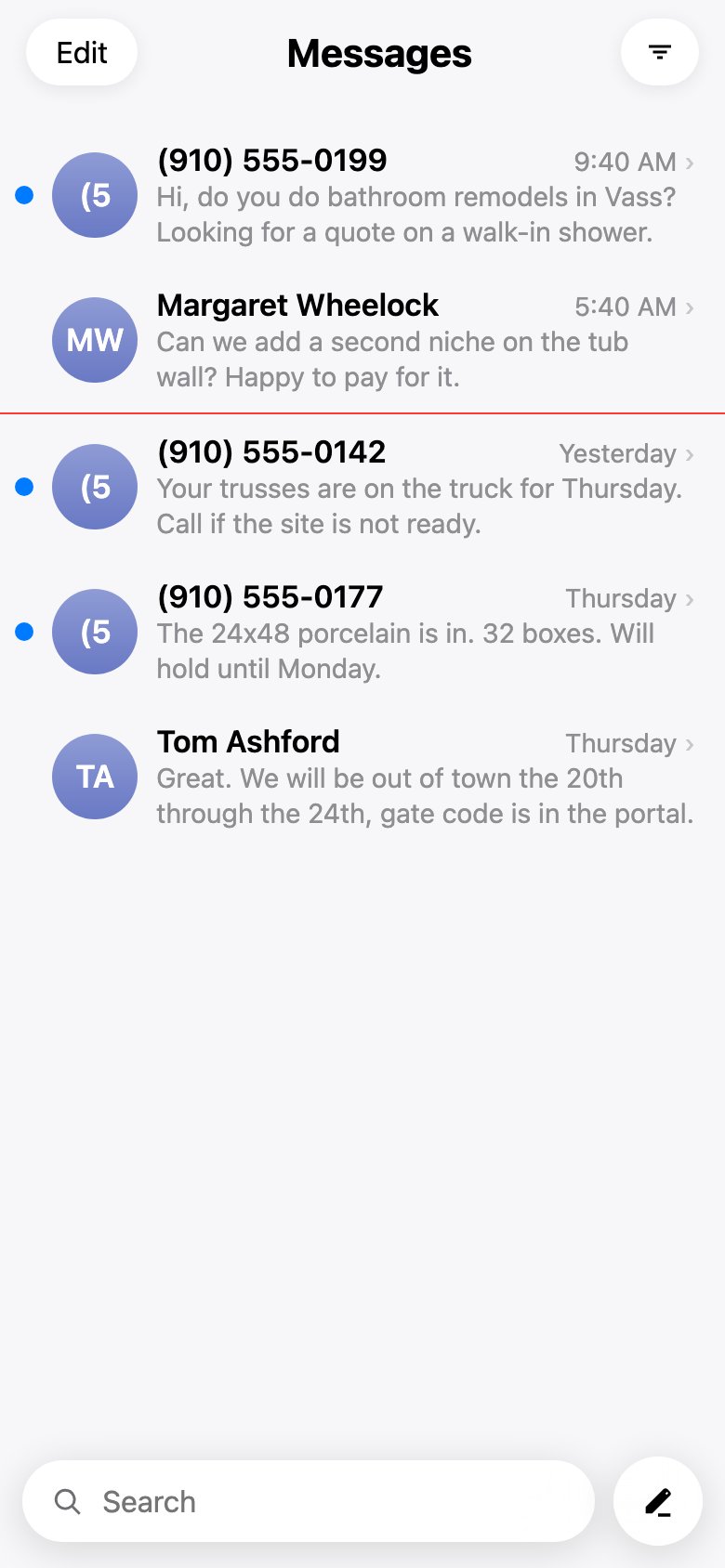
Install it to the home screen. A text app and a phone app with full search, the inbox, the job pages and the camera. Everything you would do at a desk, done from the truck between stops.

  • Search contacts and recents by name or any part of a number, like the built-in phone app
  • Record and transcribe calls so nothing from the walkthrough is lost
  • Ask your AI assistant for today's plan: BlueCollarOS connects to Claude and ChatGPT as a tool
Text messaging app on a phone
BlueCollarOS home screen on a phone
How a job flows

From the first text to the last invoice

The same path every time, so a two-person company runs like a bigger one.

Lead

Form, call, chat or referral. Screened, researched, booked.

Consult

Recorded walkthrough, transcript filed, scope drafted.

Agreement

Feasibility and design agreement signed on the phone.

Estimate

Cost-coded lines, your markup, one client number.

Build

Daily logs, photos, subs, receipts and crew time on the job.

Get paid

Payment schedule to QuickBooks invoices with pay links.

Works with what you have

Connected to the tools a contractor already pays for

Connect the accounts you already have under Settings. Nothing to install on a server, nothing to re-key.

BookkeepingEmail, calendar and file storageAI-powered phone and textingCompany cards and receiptsPayrollAppointment bookingAI assistantsMaps and property records
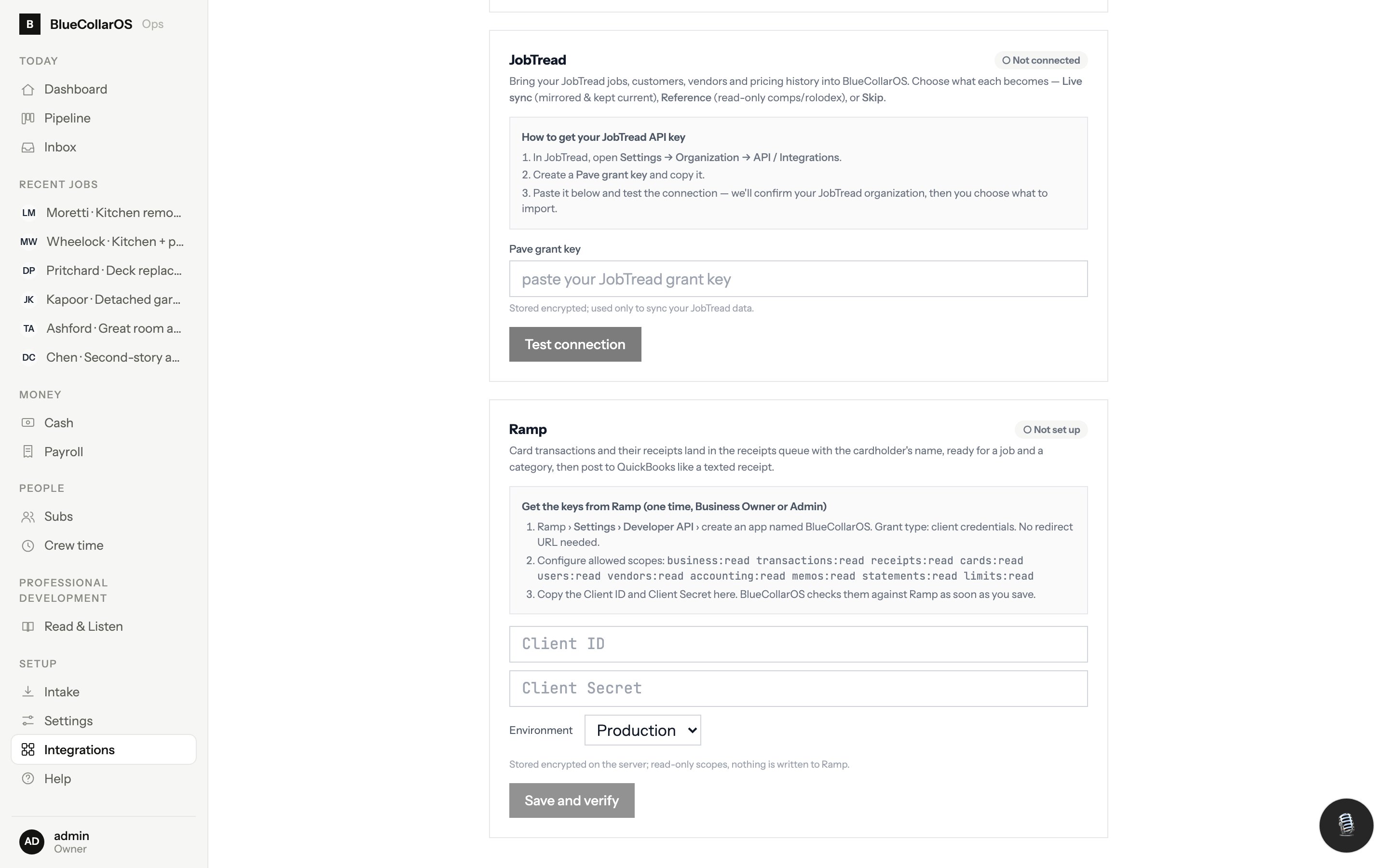
Settings · Integrations
Integrations settings with QuickBooks, Microsoft 365, Twilio, Ramp and Gusto cards
Nathan Spearing on a finished staircase
Who built it

Built by a contractor, for his own company first

I did not want a bigger business. I wanted one that runs without me standing in the office.

I am Nathan Spearing. I run Transform NC, a licensed design-build remodeling company in the North Carolina Sandhills, with a small crew and a houseful of kids, two of whom already write estimates in this system. BlueCollarOS is the software I built because nothing I could buy was made for how a trade business actually runs. Every feature on this page is in use on real jobs today.

NC licensed general contractor14 years Army Special OperationsDesign-build remodeler since 2016Five kids, 50 acres

More about Nathan →

Questions

Straight answers

Is this a template pack or real software?

Real software. It is a web app you log into, with a phone app, a text app, a client portal and integrations. It is the system Transform NC runs on every day.

Do I have to leave QuickBooks or Microsoft 365?

No. BlueCollarOS connects to them. Invoices, customers and expenses sync to QuickBooks. Email, calendar and the job folders live in Microsoft 365, where your team already works.

What does "AI" actually do in it?

Specific, bounded jobs: answering the phone and booking a consult when you cannot, transcribing calls and meetings, screening junk form submissions, drafting from a transcript, and reading receipts. Matching, syncing and money math are plain code you can audit. Nothing sends to a client without a person pressing send.

Who owns the data?

You do. Documents mirror to your own SharePoint. Your books are in your QuickBooks. Your phone number is your Twilio number. If you leave, you take all of it with you.

Does it work for trades other than remodeling?

It was built for design-build remodeling and fits any trade that estimates, schedules subs or crew, and invoices by job. Service-call businesses with hundreds of tickets a week are not what it is for.
Ready to get your office off your plate?

Tell us about your company and Nathan will set BlueCollarOS up with you, on a call, on a live job. Or join the free community where contractors share what is working with AI and systems.